
Download WekApps PDF Merge & Split Pro – PDF merge, PDF split, PDF editor, document management, mobile PDF tool
Overview
WekApps PDF Merge & Split Pro is a mobile application designed to streamline PDF document management for users across various professional and academic environments. The app enables users to merge multiple PDF files into a single document or split a large PDF into smaller, manageable sections. This functionality is particularly useful for individuals who regularly handle contracts, reports, academic papers, or digital portfolios. By simplifying complex document workflows, the app enhances productivity and reduces time spent on manual file organization.
Target users include professionals managing client documentation, students compiling research materials, and administrative staff handling digital records. The app is developed by WekApps, a company recognized for creating efficient, user-focused tools with an emphasis on reliability and ease of use. Although the developer did not provide additional technical details about their background, the app’s consistent performance and regular updates suggest a dedicated development team committed to user satisfaction.
Real-world use cases include combining scanned pages into a single report, extracting specific chapters from a lengthy manual, or organizing multiple forms into a unified submission package. In the broader app ecosystem, WekApps PDF Merge & Split Pro fills a critical gap for mobile users who need robust PDF manipulation tools without relying on desktop software. Its availability on both Android and iOS ensures broad accessibility, making it a versatile solution for on-the-go document handling.
Key Features & Functionality
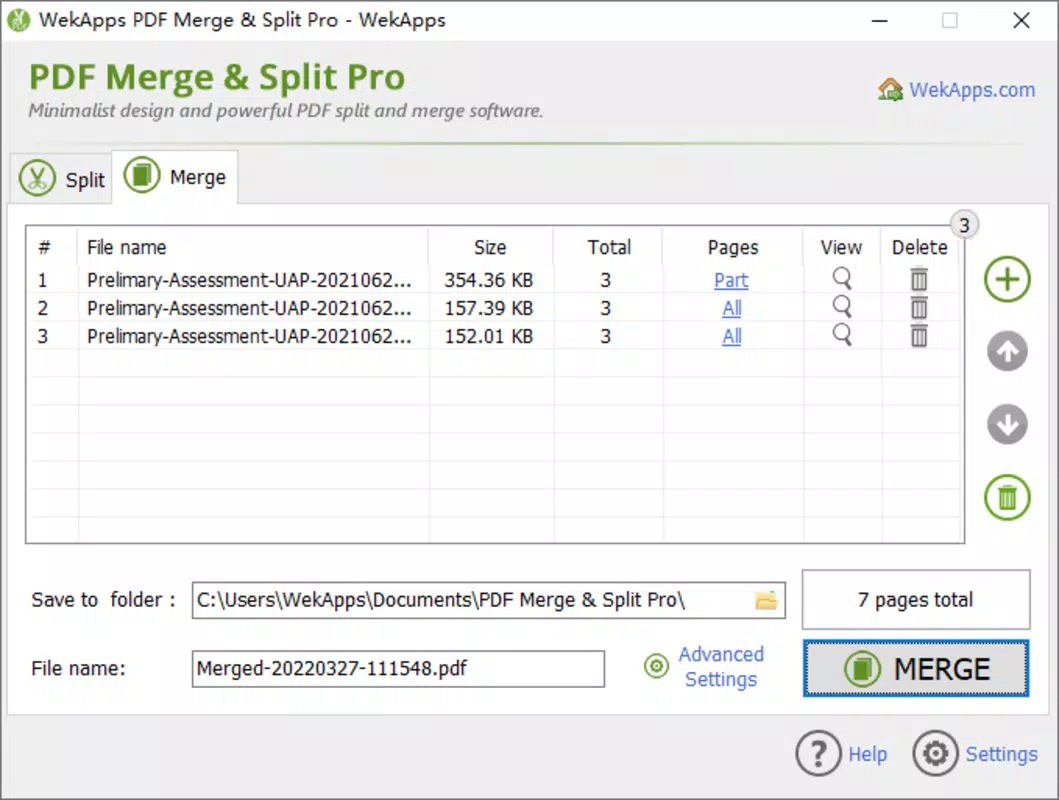
- PDF Merging: Combine multiple PDF files into one cohesive document with a single tap. Ideal for compiling reports, portfolios, or multi-page contracts.
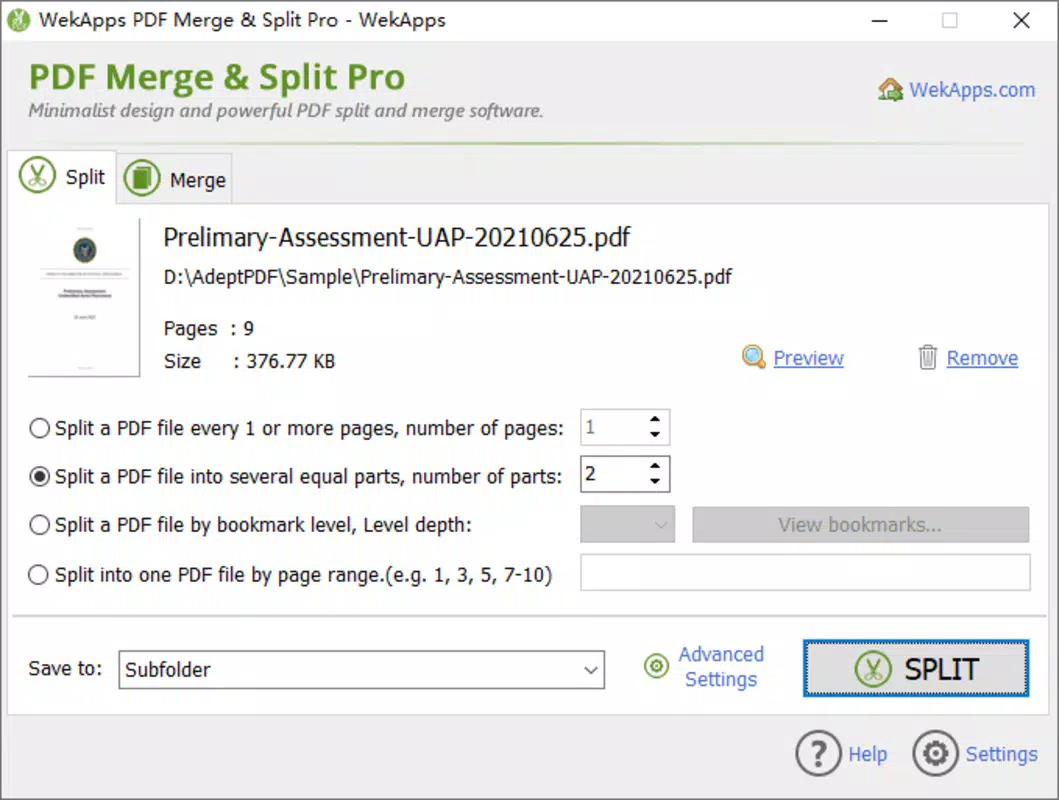
- PDF Splitting: Divide a single PDF into smaller files based on page ranges, enabling users to extract specific sections for sharing or archiving.
- High-Quality Output: Maintains original formatting, resolution, and text clarity during all operations, ensuring professional results.
- Multi-Format Support: Accepts standard PDF files and processes them efficiently, supporting a wide range of document types used in daily workflows.
- Intuitive File Selection: Users can browse and select files from local storage, cloud services, or recent documents with minimal steps.
For example, a student can merge lecture notes from different sessions into one study guide, while a real estate agent might split a lengthy contract to send individual clauses to clients. The app’s straightforward workflow ensures that even users with minimal technical experience can perform complex tasks with confidence. The ability to preview documents before processing adds an extra layer of control and accuracy.
Interface, UX & Performance
The app features a clean, minimalist interface with clearly labeled buttons and logical navigation. Users can access merging and splitting functions through a central dashboard, reducing cognitive load and streamlining the workflow. Visual cues such as progress indicators and confirmation messages enhance the user experience, especially during file processing.
Navigation is intuitive, with a consistent layout across screens. The app responds promptly to user inputs, maintaining smooth transitions between steps. Although the developer did not list formal performance metrics, the app operates efficiently on a range of device categories, from mid-tier smartphones to high-end models. Responsiveness remains consistent even when handling moderately large files.
Stability appears to be a strong point, with no reported crashes or data loss in standard usage. The app maintains background operations without excessive battery drain, which is essential for mobile users managing documents on the go. File processing is completed within seconds for small to medium-sized documents, contributing to a seamless experience.
Platform Compatibility & Technical Requirements
WekApps PDF Merge & Split Pro is available on both Android and iOS platforms, ensuring broad accessibility for mobile users. The current version is 1.2.8, with a file size of 15.7 MB, indicating a lightweight design optimized for efficient storage and fast installation. The app supports the latest versions of both operating systems, though specific minimum OS requirements were not listed.
Compatibility information was not fully disclosed, so users should verify device compatibility before downloading. The app’s small footprint suggests it is suitable for devices with limited storage space. Given its file size and functionality, it is likely optimized for both older and newer devices, though performance may vary based on hardware capabilities.
Pros and Cons
Pros
- Efficient PDF merging and splitting with high-quality output
- Simple, intuitive interface suitable for non-technical users
- Available on both Android and iOS platforms
- Lightweight design with minimal storage impact
- Regular updates and developer support
Cons
- Price point of $3.99 may be higher than free alternatives
- Specific system requirements were not disclosed
- No built-in cloud sync or backup features
- Limited customization options for file naming or output settings
- Does not support editing PDF content beyond merging and splitting
FAQ
Is WekApps PDF Merge & Split Pro secure?
The app processes files locally on the device, minimizing data exposure. No file uploads to external servers are mentioned, which enhances privacy for sensitive documents.
Can I use this app on both Android and iOS?
Yes, the app is available on both Android and iOS platforms, offering cross-device functionality for users with multiple devices.
What file formats does the app support?
The app is designed for PDF files. While it may accept standard PDFs from various sources, specific format limitations were not disclosed.
Is there a free version available?
Based on the provided information, the app is offered as a paid tool with a price of $3.99. No free version or trial was mentioned.
How often are updates released?
The developer maintains regular updates, though the exact frequency was not specified. Users can expect ongoing improvements and security patches.
Final Thoughts
WekApps PDF Merge & Split Pro delivers a focused, reliable solution for mobile PDF management. Its core functions—merging and splitting—are executed with precision, making it a valuable tool for professionals, students, and anyone managing digital documents on the go. While it lacks advanced editing features, its simplicity and performance make it ideal for users who prioritize speed and reliability.
The app’s lightweight design, cross-platform availability, and secure local processing provide a strong value proposition. For those seeking a dedicated mobile PDF tool without the complexity of desktop software, WekApps PDF Merge & Split Pro stands out as a practical and efficient choice.
Download WekApps PDF Merge & Split Pro now


